












The entire Microsoft Office course is designed under expert supervision to equip our students with both theoretical core concepts and practical skills. Whether you are a beginner or a professional looking for skill enhancement, this MS Office course perfectly fulfills your needs.
The MS Office certification is a complete bundle of information that equips you with the knowledge of Word, Excel, PowerPoint, and Outlook. The course will cover the complete Business Computer Application module, empower you to create professional documents, spreadsheets, and presentations, and effectively manage your email communication.
Prerequisites
Anyone who has completed 12th grade can join the Course. If you have no idea What MS Office is, do not worry; no prior knowledge is required for enrollment.
Why The Microsoft Office Course?
- Boost Your Employability: MS Office is the most in-demand skill in almost every industry. This Microsoft Office course prepares you with the required skill sets and helps you showcase your abilities in job interviews.
- Increase Productivity: A productive employee is always an asset the hiring company requires. The MS Office course boosts your knowledge with functionalities of Word, Excel, PowerPoint, and Outlook that save time and streamline your workflow.
- Enhance Communication: A constructive, visually appealing, and impactful document, presentation, and email will streamline your communication pathway with colleagues and clients.
- Lifelong Learning Tool: Build a strong foundation for your career growth by learning and exploring advanced functionalities within the course.
Why do MS Office Training from ICA Edu Skills?
 NSDC Certified Training 100% Job Assistance Real-Life Projects Practical Training
Tools Covered

Ms Word
Document Creation and Formatting

MS Excel
Spreadsheet Creation and Analysis

MS Powerpoint
Presentation Design and Delivery

MS Outlook
Email Management and Communication
Who Should Enroll in the Microsoft Office Course?
This course perfectly fits the following categories of candidates:
- Students and recent graduates.
- Working professionals.
- Entrepreneurs and business owners.
- Anyone seeking to improve their computer literacy.
What You Will Master in the Certificate Course On Microsoft Office
This course progressively prepares students through a well-structured syllabus. The MS Office training starts with basic computer concepts and progresses towards in-depth application-specific skills.
- Essential Hardware & Software Knowledge: Learn the basics of computer hardware and software components to understand the functionality of Microsoft Office.
- Windows 10 Navigation: The MS Office course entitles you to the functionalities of the Windows 10 operating system.
- File & Folder Management: By joining the Microsoft Office course, you can learn how to organize your digital files and folders effectively.
- Microsoft Word Expertise: Excel your proficiency by learning MS Word. This helps you craft professional documents, including formatting, creating tables, and utilizing headers and footers.
- Microsoft Excel Powerhouse: Get training on MS Excel and equip yourself with the knowledge of data entry, cell formatting, formulas, functions, and data analysis.
- Microsoft PowerPoint Presentations: The Microsoft Office course helps you upskill by empowering you to design presentations using layouts, animations, and effective visual communication strategies.
- Microsoft Outlook Productivity: The MS Office course guides you to learn email writing efficiently, use calendars, and deploy features of Outlook for smooth communication.
- Project-Based Learning: The MS Office course focused on training students with project-based learning. So, you can apply your skills to practical projects.
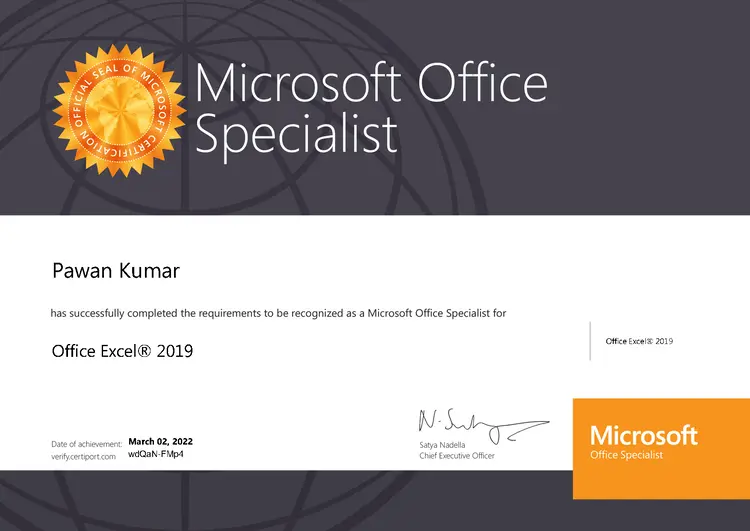
Microsoft Office Course Certification
After getting certified in the MS Office course, several career opportunities await aspiring candidates to join. To get the right skill set, invest in your future now. Join the Microsoft Certification Program today!
Microsoft Word: Document creation, formatting, and advanced features.
Microsoft Excel: Spreadsheet creation, data analysis, functions, and charts.
Microsoft PowerPoint: Creating engaging presentations with multimedia.
Microsoft Outlook: Email and calendar management.
Internet & Email Writing: Learn effective email and message writing.
48 Hours
24 Lecture
Lecture
1 : Hardware & Software
Lecture
2 : Working with Windows 10
Lecture
3 : File & Folder Management
Lecture
4 : Introduction to Ms Word 2019
Lecture
5 : Page Setup
Lecture
6 : Drafting & Formatting Documents
Lecture
7 : Tables
Lecture
8 : Header & Footer
Lecture
9 : Introduction to Ms Excel 2019
Lecture
10 : Database Design
Lecture
11 : Cell Reference
Lecture
12 : Number & Conditional Formatting
Lecture
13 : Lookup & Reference Functions
Lecture
14 : Logical Functions
Lecture
15 : Financial Functions
Lecture
16 : Sort & Filter
Lecture
17 : Pivot Table & Pivot Chart
Lecture
18 : Protection
Lecture
19 : Project on Excel
Lecture
20 : MS PowerPoint 2019
Lecture
21 : MS PowerPoint 2019
Lecture
22 : MS Outlook 2019
Lecture
23 : Internet & Email Writing
Lecture
24 : Mail Merge